
As an Amazon Associate I earn from qualifying purchases.
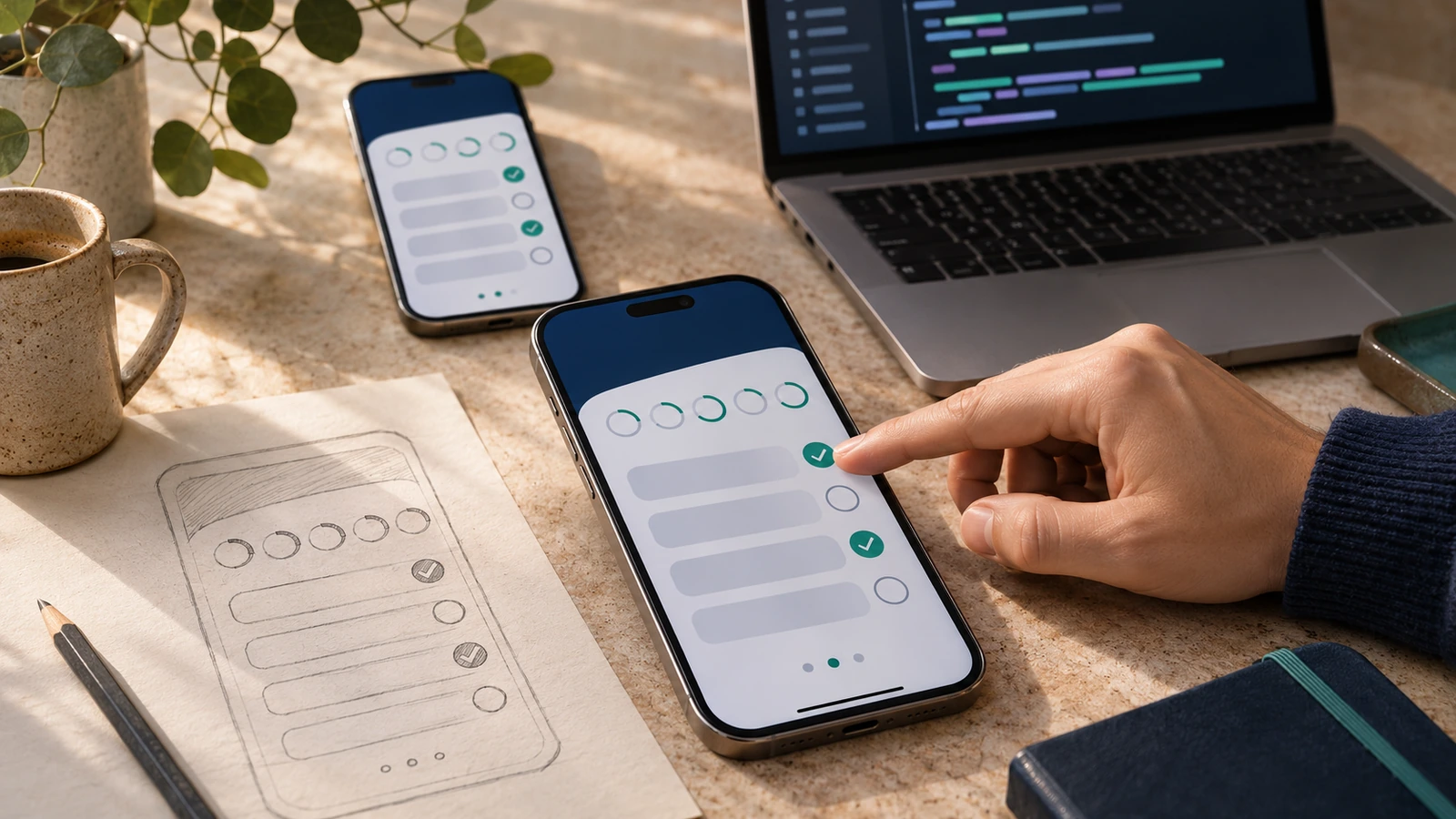
Mobile development is the work of building software for phones and tablets. It includes the interface people touch, the code that runs on the device, and the services that keep the app working.
Writing the screens is only part of the job. Your app also has to handle a lost connection, a denied permission, a small display, and an operating system that can stop it while the user does something else.
If you want to get started, choose one platform and finish a small app. You can make better decisions about sharing code after you understand what that first app actually needs.
What makes mobile development different?
A phone goes everywhere with its owner. That gives you useful capabilities, such as a camera and location services, but it also creates constraints.
Touch targets need room. A form that works with a mouse can be frustrating when a keyboard covers half the screen. Text needs to remain readable when someone increases the system font size.
Connections disappear. Requests fail. Someone starts entering information, switches apps, and comes back later. Decide what should survive that interruption instead of hoping the process stays alive.
Battery and data usage matter, too. Repeatedly asking a server for the same information can make a simple app feel slow and waste power. Save data locally where appropriate, and make loading or retry states clear.
The main platforms: Android and iOS
For a beginner building phone apps, Android and iOS are the practical starting points. You do not need market-share percentages to choose between them. Start with the device you can test on, the work you want to do, and the tools available to you.
Android
Google’s Android documentation takes a Kotlin-first approach. Android Studio is the development environment to investigate for native Android work. Existing projects can also contain Java and native code, so learning Kotlin does not make every other language disappear.
Choose Android if that is the platform you want to learn or the devices you want to support. Build a small screen, run it on a device, and learn how the application handles state before adding more features.
iOS
Apple’s SwiftUI documentation describes its framework for building interfaces across Apple platforms. Swift is a sensible starting language for a new native iOS learning project. UIKit and Objective-C remain relevant when you encounter existing applications.
Check Apple’s current Xcode and device requirements before committing to your setup. A framework that shares code does not remove the need to build and test the iOS application with the appropriate Apple tooling.
What about other devices?
Tablets, watches, and televisions have different interaction patterns. A phone layout stretched across a larger screen is not automatically a good tablet app. Start with the device your project serves; expand deliberately rather than promising every device in the first version.
How mobile development is done
You have three broad choices: build with each platform’s native tools, use a cross-platform framework, or deliver an application through the browser. The right choice depends on the app and the people maintaining it.
Write down the difficult requirements first. Does the app need background location? Camera access? Offline editing? A specialized device integration? Investigate those requirements with a small working prototype. A framework demo with a few buttons will not answer them.
Native development
Native development means working directly with the platform’s development tools and APIs. You learn how that platform expects an app to behave, rather than starting with a layer intended to span several platforms.
This is a useful learning path when you want to become an Android or iOS developer. It is also worth considering when platform-specific behavior is a large part of the product.
The trade-off is separate platform work. Supporting Android and iOS can mean maintaining different interfaces and dealing with different release processes. Shared backend services can reduce duplication, but they do not eliminate the client work.
Do not assume native automatically means fast. A poorly designed native app can still block its interface or repeatedly download unnecessary data. Measure the behavior that matters on a real device.
Cross-platform frameworks and tools
Cross-platform tools let you share some of an application’s code across platforms. How much you share depends on the tool, the features, and how closely you want to follow each platform’s conventions.
The original point of comparing cross-platform approaches still holds: understand what a tool shares and where you must handle platform differences yourself. That older article is historical context, not a current shortlist.
- Flutter uses Dart and supplies its own UI framework. Its architecture documentation explains the rendering approach and how it connects to platform services.
- React Native brings React’s programming model to native applications. Read its setup guidance and check the native capabilities your project needs.
- .NET MAUI is an option to investigate when you want to build cross-platform applications with C# and XAML.
These are options to evaluate, not a ranking or a claim that one is best for every app. Use the official documentation to confirm supported platforms and setup requirements before choosing.
For a useful comparison, implement the same small feature in the approaches you are considering. Save an item locally, close and reopen the app, then try it with the network disconnected. If your real app needs a camera or a particular library, include that integration in the prototype.
Shared code still needs testing on each target platform. A plugin working on one phone does not prove that permissions, navigation, and accessibility behave correctly on the other.
Mobile web apps
A mobile web app runs in the browser. That can be a good fit when a link is the easiest way for people to reach the product and the required features work well on the browsers you support.
A responsive website and a packaged application are different delivery choices. Evaluate browser support for the exact capabilities you need rather than assuming a web app has every native capability, or none of them.
Start with the user’s task. A straightforward booking form may not need an app-store download. A device-heavy workflow may justify a different approach. Build a small version and test it on the actual phones your users have.
A first project you can finish
Build a simple habit log. Let someone add a habit, mark it complete for today, and see what they recorded. Keep the first version on the device.
That project gives you a reason to learn navigation, input validation, and persistent storage without adding accounts and server infrastructure immediately.
- Write down the one task the app must do. Sketch the screens before choosing libraries.
- Build the smallest working path. Add a habit and show it in a list.
- Save the data. Close the app and verify that the same information is still there when you return.
- Handle mistakes. Try an empty name, a long name, and repeated taps.
- Test on a real phone. Increase the font size and use the app with a screen reader.
- Only then consider synchronization or a second platform. Each adds work you can now describe more precisely.
You can use another small project if it matters more to you. The constraint is finishing it. An ambitious application with five unfinished integrations teaches you less about release than a modest app you can actually use.
Testing, release, and maintenance
An emulator or simulator is useful during development. It does not replace a real device. Test how the interface feels in your hand, how it behaves with limited connectivity, and whether the content fits when accessibility settings change.
- Check loading, empty, error, and retry states. A spinner that never stops is not error handling.
- Request permissions when the feature needs them, and explain what still works if permission is denied.
- Avoid collecting information you do not need. Do not put private credentials into client code and assume packaging will hide them.
- Check upgrades as well as fresh installs. Existing saved data must survive the next version.
- Read the current store submission and privacy requirements before release. Fees, policies, and supported versions can change.
Keep a reproducible build and a way to diagnose failures without exposing users’ private data. After release, maintenance includes dependency updates and checking behavior on operating-system updates.
Can you specialize in mobile development?
Yes. Specializing in mobile development is a distinct career path. The useful question is what you can demonstrate, not how many frameworks you can list.
Show a working application, explain your technical choices, and describe a problem you found during testing. If you are seeking employment, look at the platform and skills in the roles you actually want. Do not treat a tool’s popularity as a job guarantee.
Pick a small app and one platform. Finish that version before deciding you need to learn everything else.
Historical resources from the original article
The original article linked to the following material. These links are retained for reference; older books and framework guidance may describe retired tooling. They are not current purchasing recommendations.
- Original Swift resource
- Original Android resource
- Original Xamarin resource
- Original Cordova resource
- Original Xamarin Forms resource
Official platform documentation linked above was checked on November 10, 2026. No market-share, pricing, or salary estimate is needed to choose your first project.
AI Is Changing the Field. Don't Get Left Behind.
Good code won't save your career if nobody knows what you can do. RDU helps you build the AI skills companies want and make sure your work gets seen, so you can move up instead of staying stuck.
Book Your Free Call →
Related Articles
Complete Guide for Students to Developing the Right Apps
This guide does not only tell developers about student apps, but it also shows them how to go about creating…
React Native vs. Native Android/iOS Development: Which One To Choose in 2021
According to Statista, there were 204 billion mobile app downloads in 2019 alone. Given all the time people spend on…
Kotlin or Java: Which Should You Choose for Android Development?
Kotlin is the promising programming language for Android app development. But is it worth moving from Java? Learn the pros…